Count Till (PM)

Jun 22, 2026
300

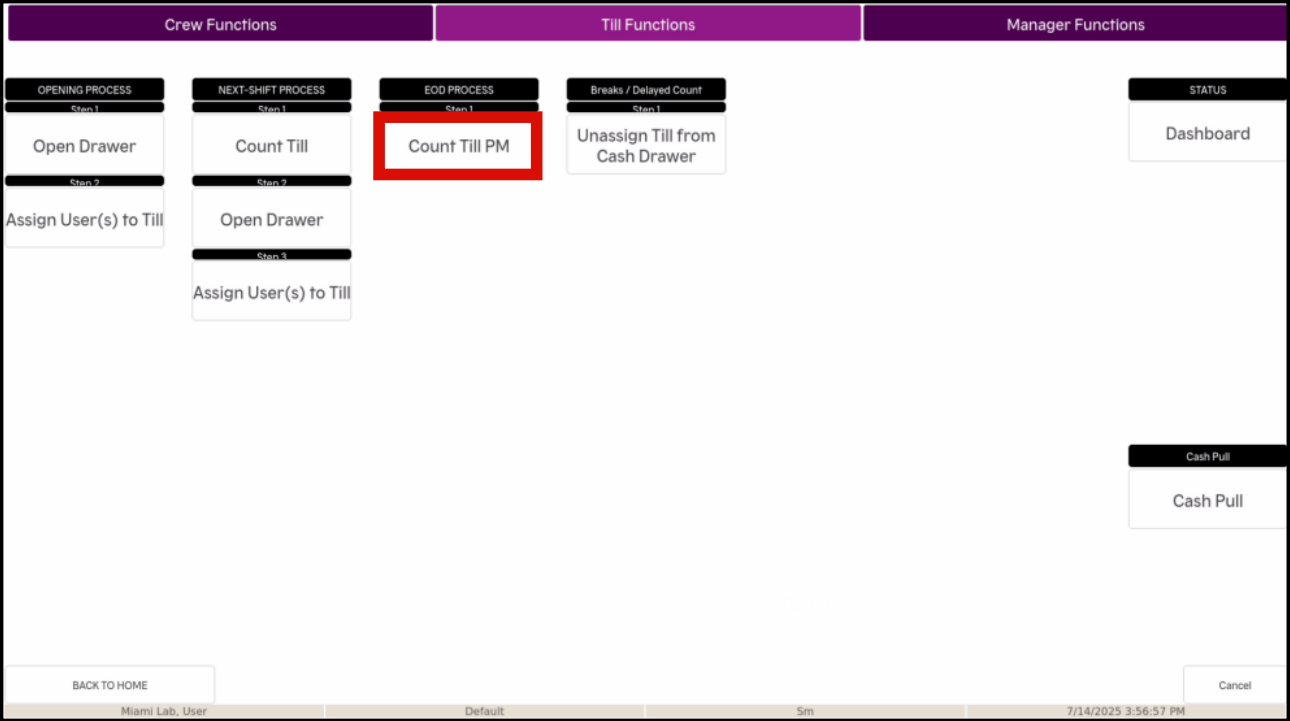
- Select Functions on the bottom row of the screen

- Select Till Functions at the top of the next screen

- Select Count Till PM
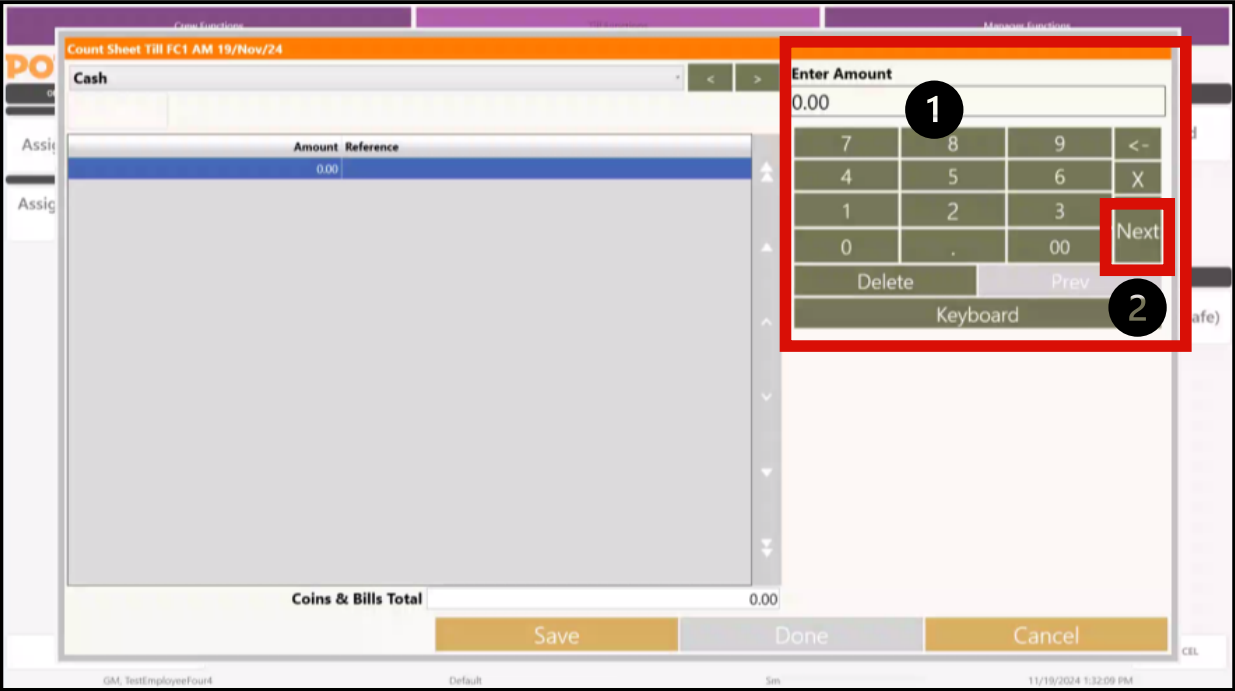
- Count the total cash amount in your till and enter the total into the POS using the keypad.
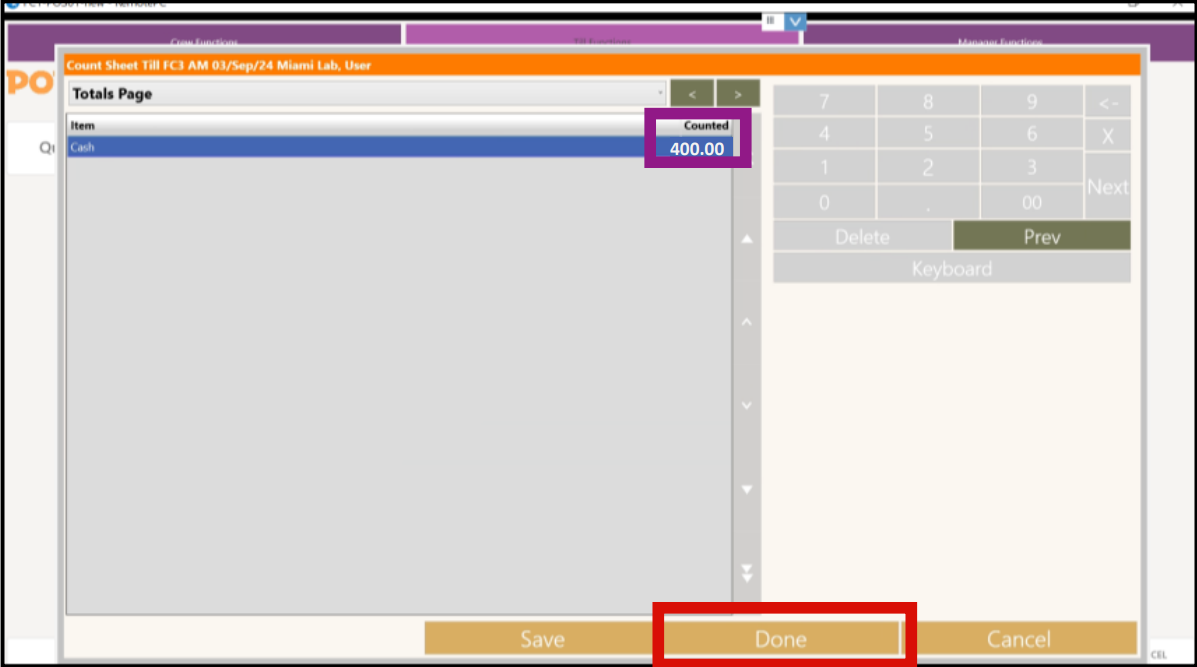
• Example: if you counted $400.00 in the Till, enter 400.00
Once you have finished entering the total amount, select Next
- Select Done once you confirm the total counted