Opening Proceses: Assign User(s) to Till (AM)

May 20, 2026
 3
3
During the store opening process, this is how a manager will assing team members to be on cashier duty during the AM shift at each individual cash drawer.
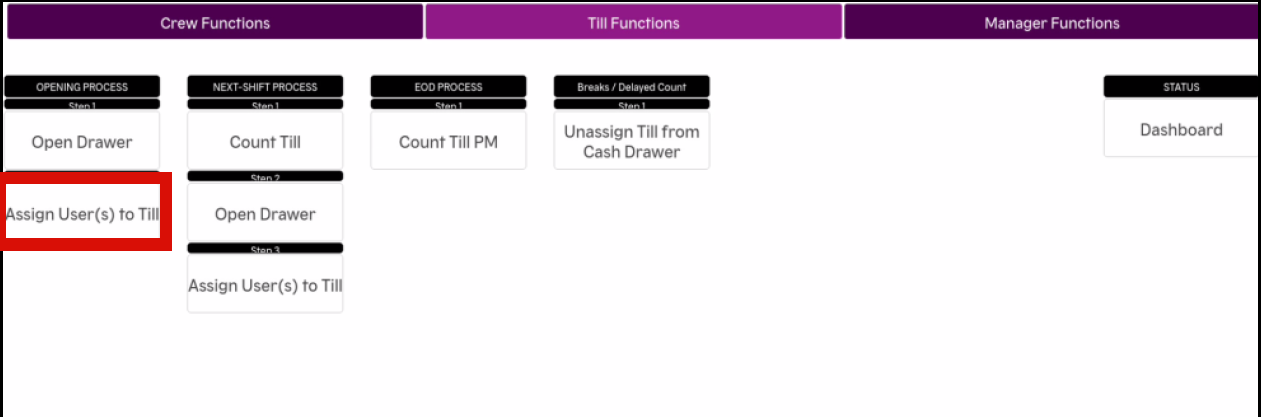
- Select FUNCTIONS on the bottom row of the screen

- Select Till Functions at the top of the next screen

- Select Assign User(s) to Till
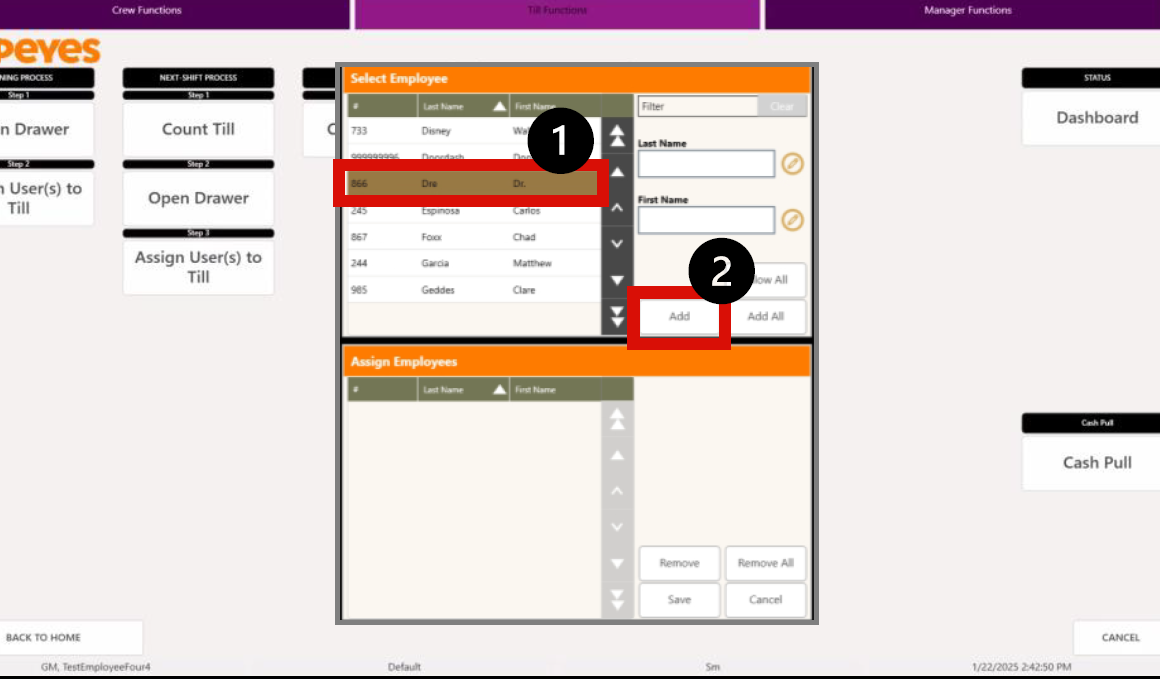
- Select the TEAM MEMBER that you want to assign to the Till and select ADD
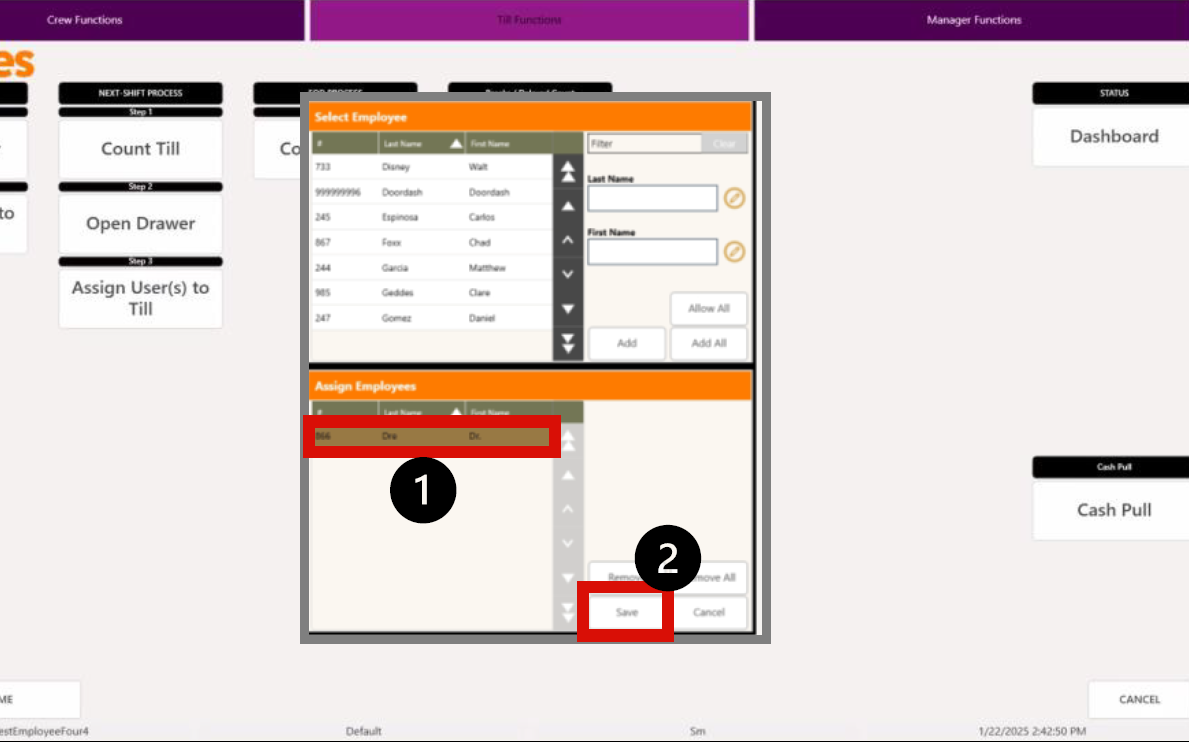
- Select the TEAM MEMBER in the bottom-half of the screen and select SAVE