


Opening Proceses: Cash Management - Open Drawer

May 20, 2026
 11
11
During the store opening process, this is how a manager would open the TILL DRAWER.
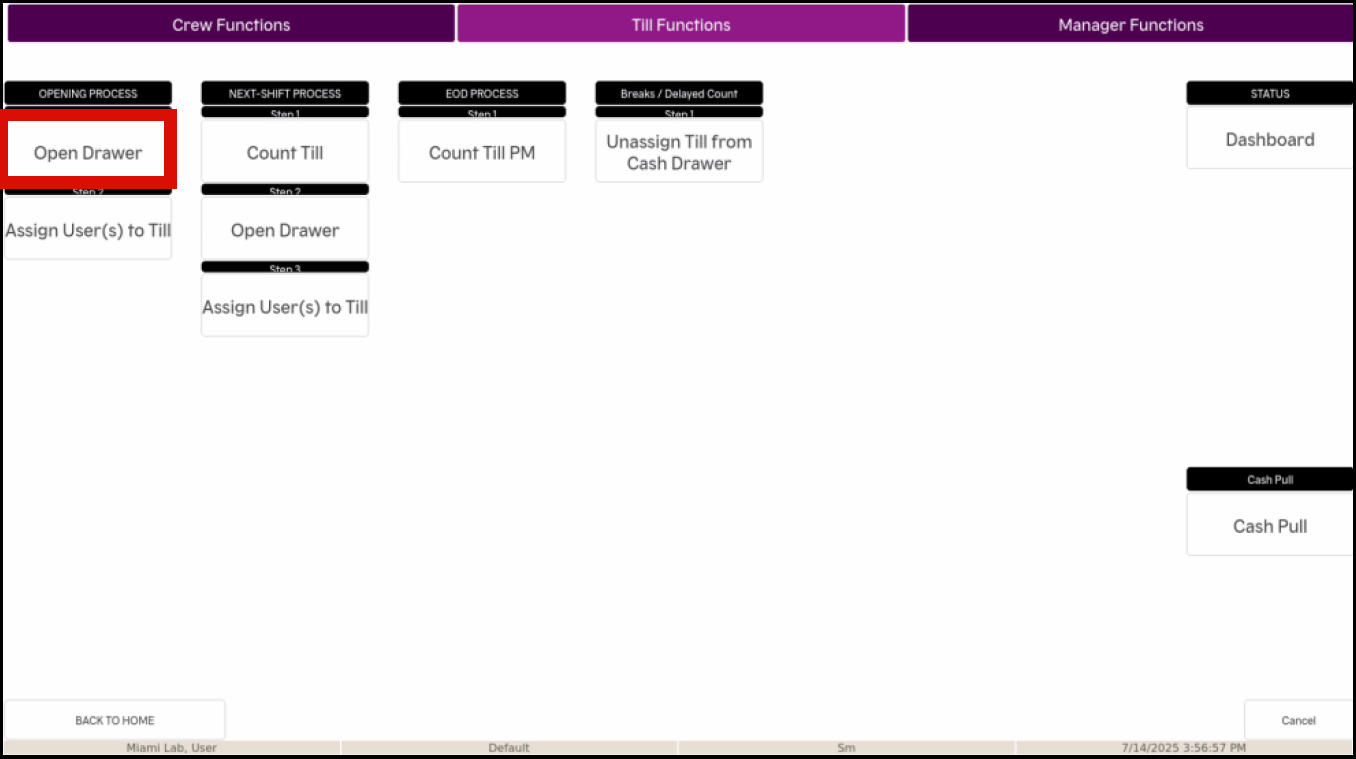
- Select FUNCTIONS on the bottom row of the screen

- Select TILL FUNCTIONS at the top of the next screen

- Select OPEN DRAWER
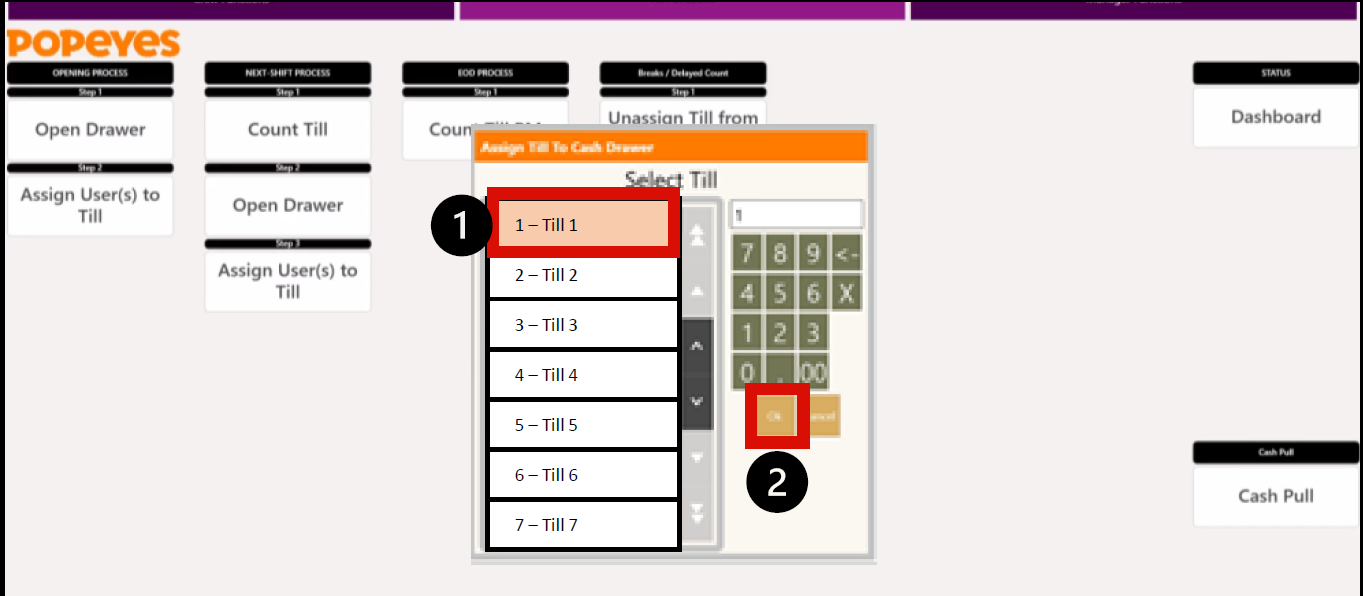
- Select the TILL you want to open, and select OK
- Enter the TOTAL AMOUNT in the Till at the beginning of the shift, and select OK
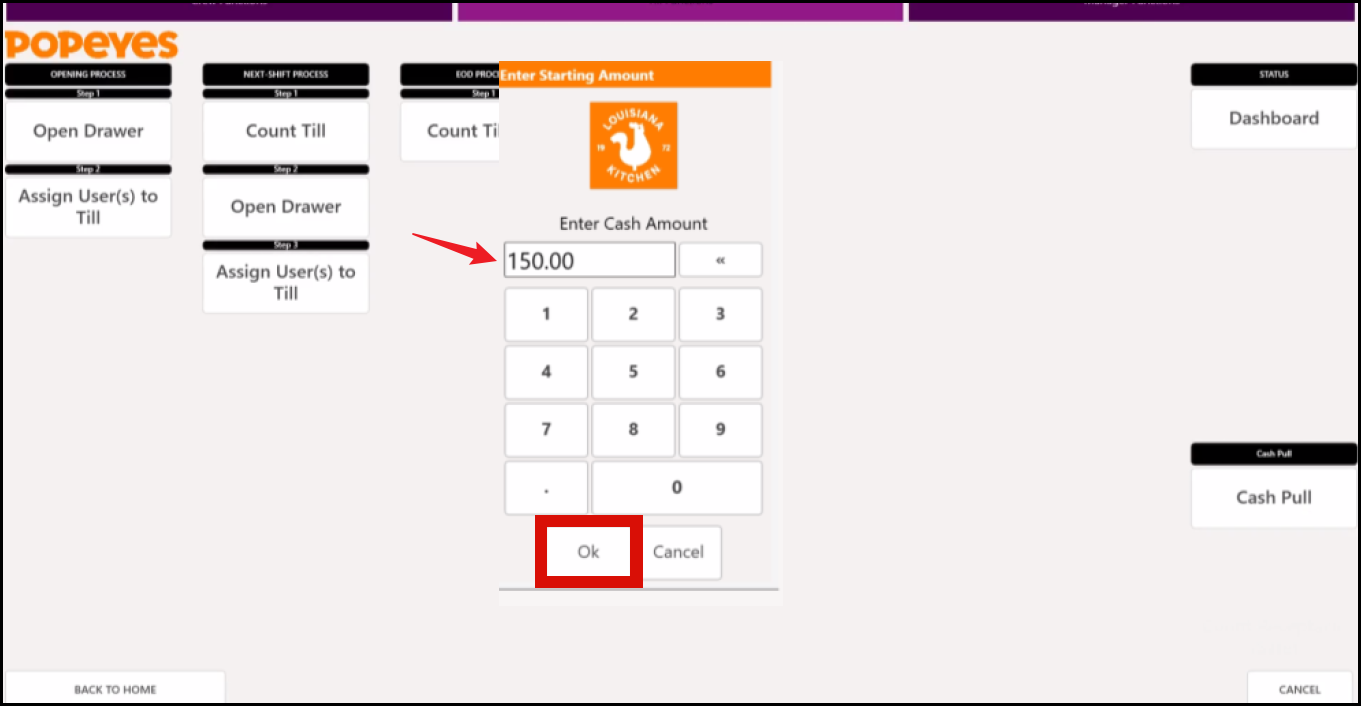
- The Till you selected is now open and assigned to the cash drawer.


