You are using an unsupported browser. Please update your browser to the latest version on or before July 31, 2020.
close
You are viewing the article in preview mode. It is not live at the moment.
Welcome to our Support Center
Home > IT Articles > Oracle > Oracle | Log into the POS Terminal
Oracle | Log into the POS Terminal
print icon

Note: The instructions to log in are the same for both managers and team members.
 

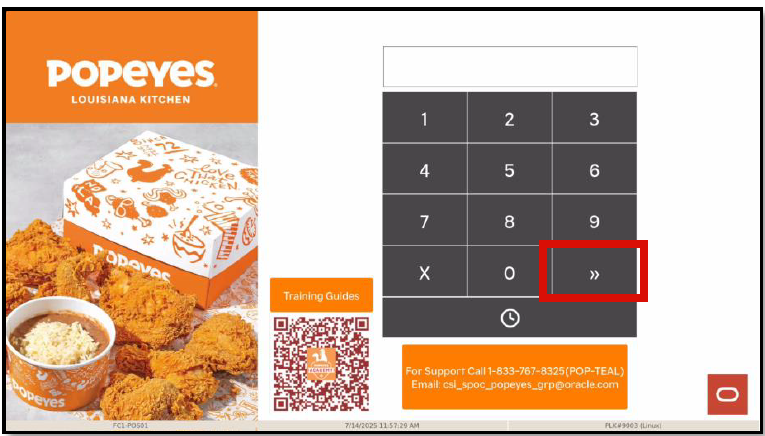
  1. On the log-in screen, type your employee ID (clock-in number), then hit the TWO ARROWS(>>) to proceed.

    or

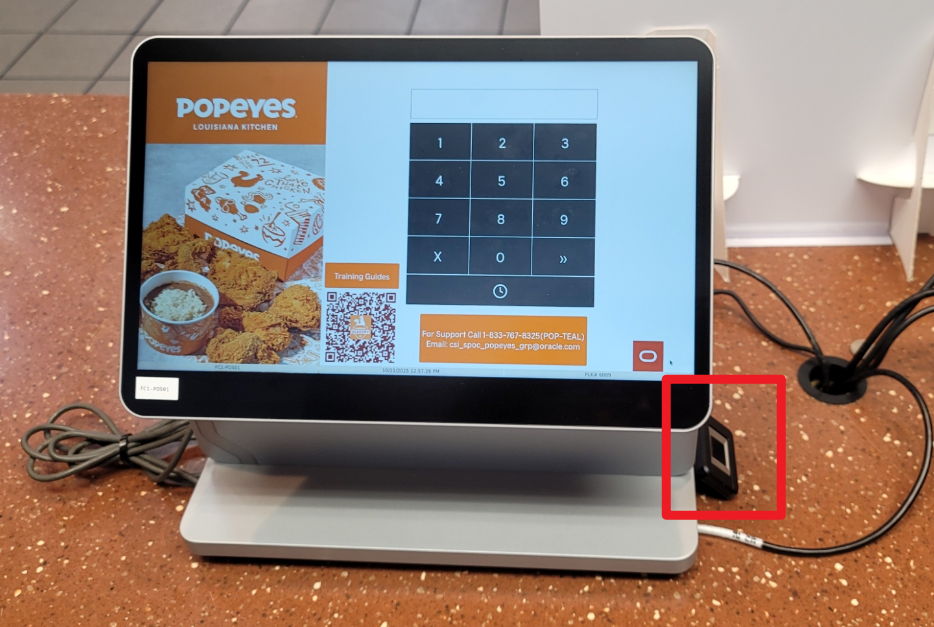
    Scan your finger using the fingerprint reader to log into the POS Terminal.
Feedback
0 out of 0 found this helpful

scroll to top icon