Oracle | Marking Menu Items (MI) as OUT OF STOCK

May 08, 2026
 0
0
Note: Only Managers can perform this action
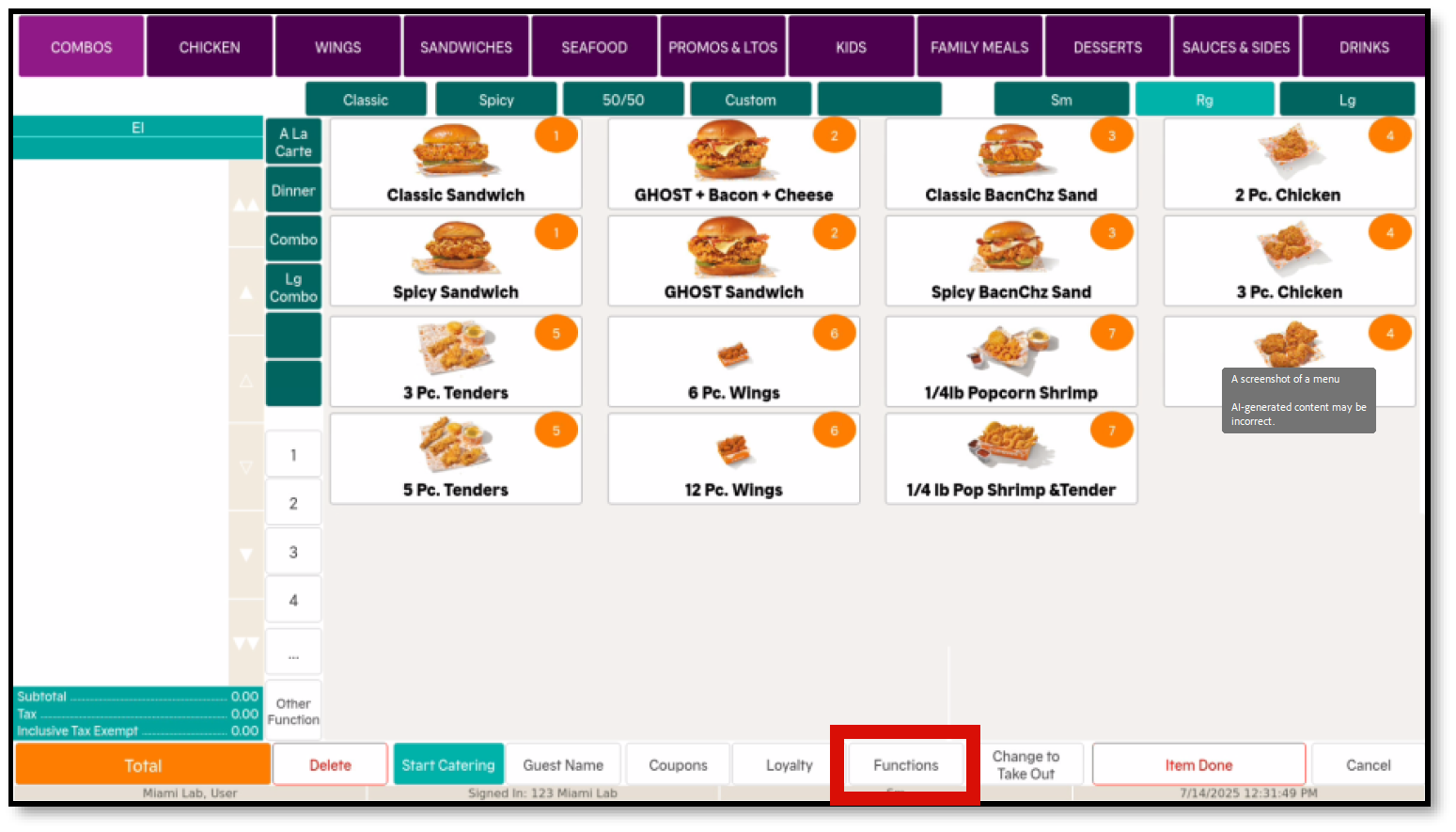
- Select FUNCTIONS on the bottom row of the screen
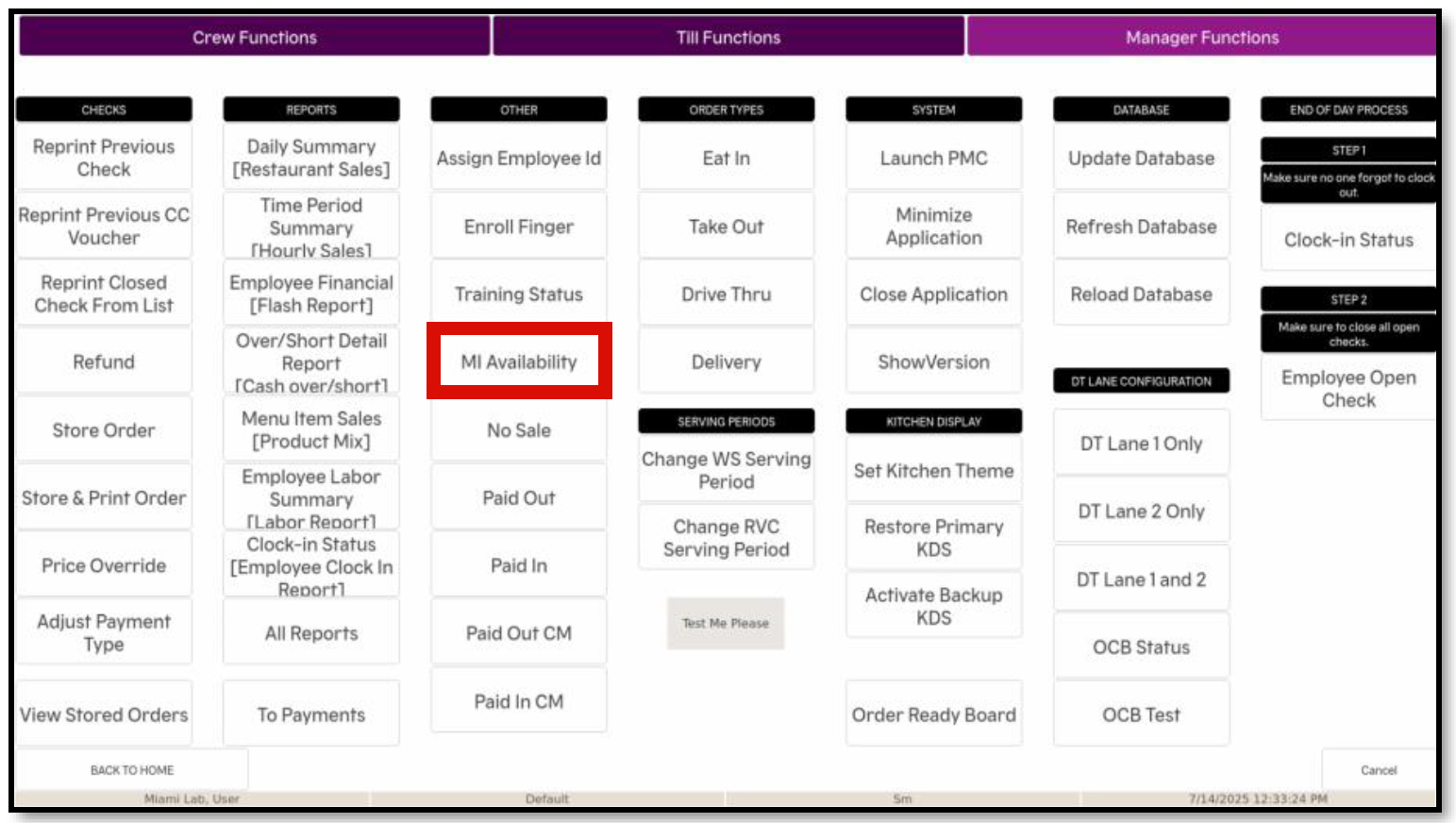
- Select the Tab Manager Function at the top and then select MI Availability.
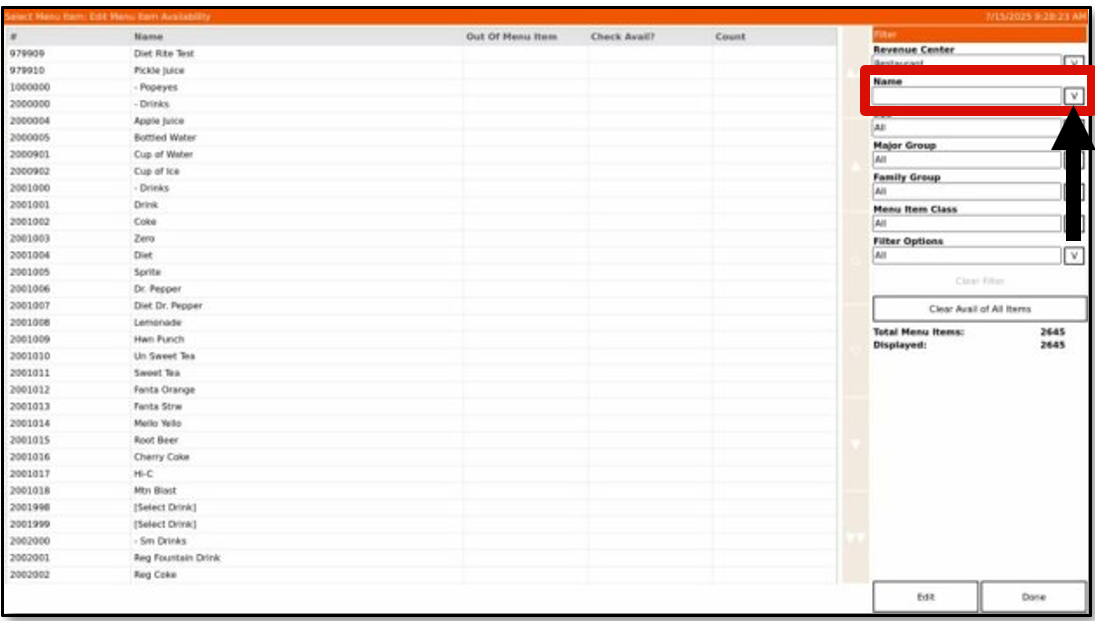
- Search for the product you need to mark as OUT OF STOCK by typing the name of the product under "Name"
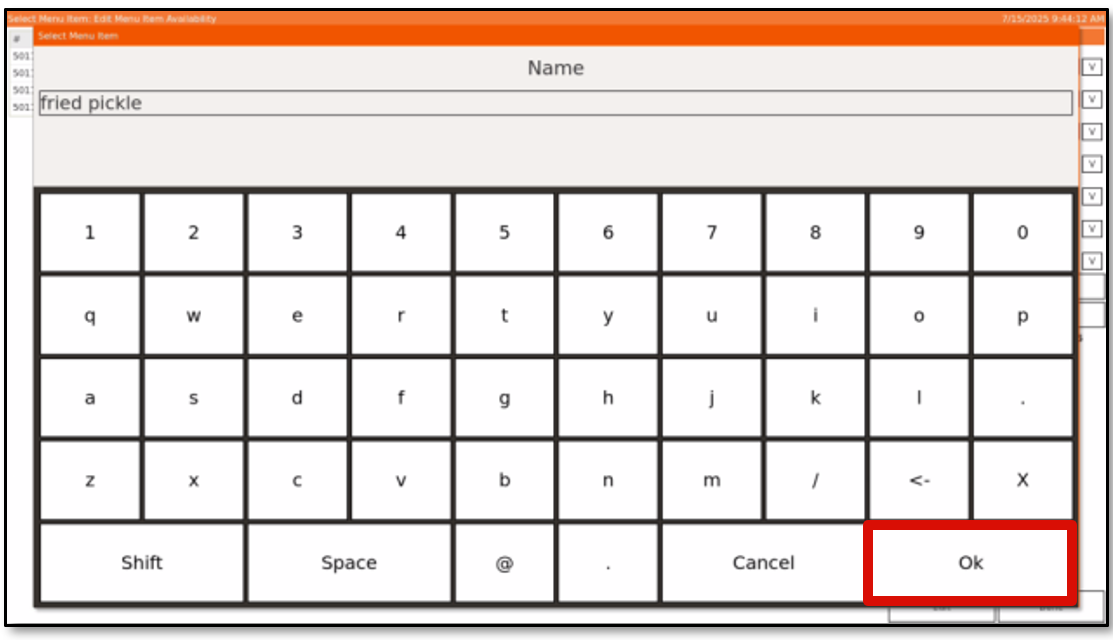
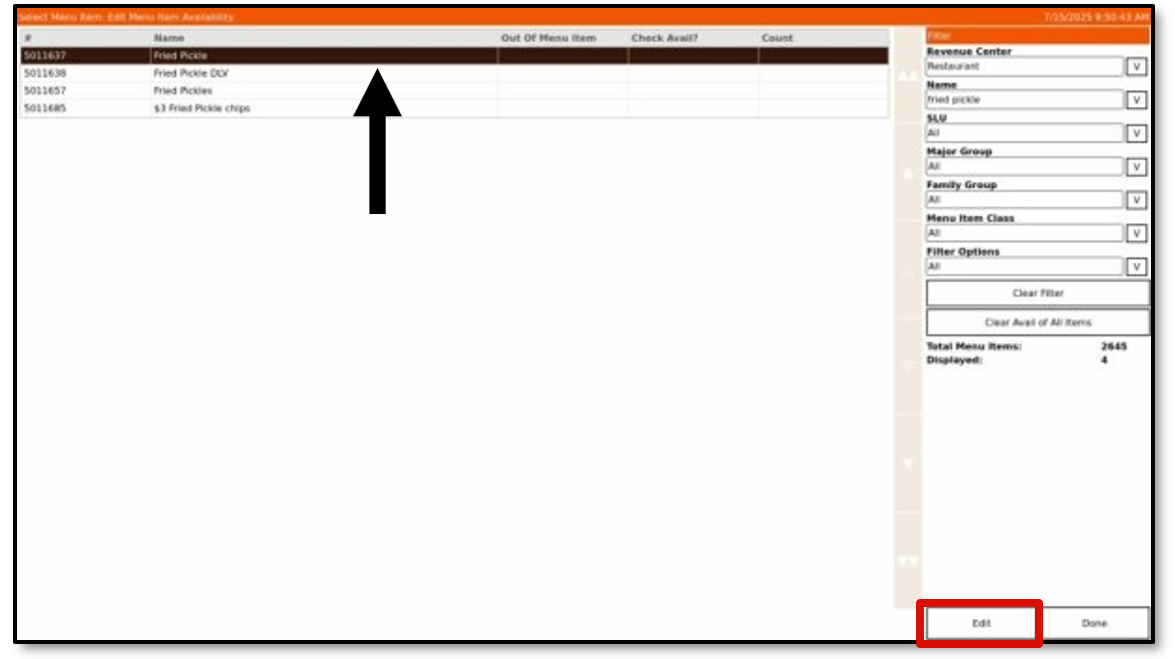
- Select the product and click EDIT
- Select the OUT OF MENU ITEM option, then select SAVE
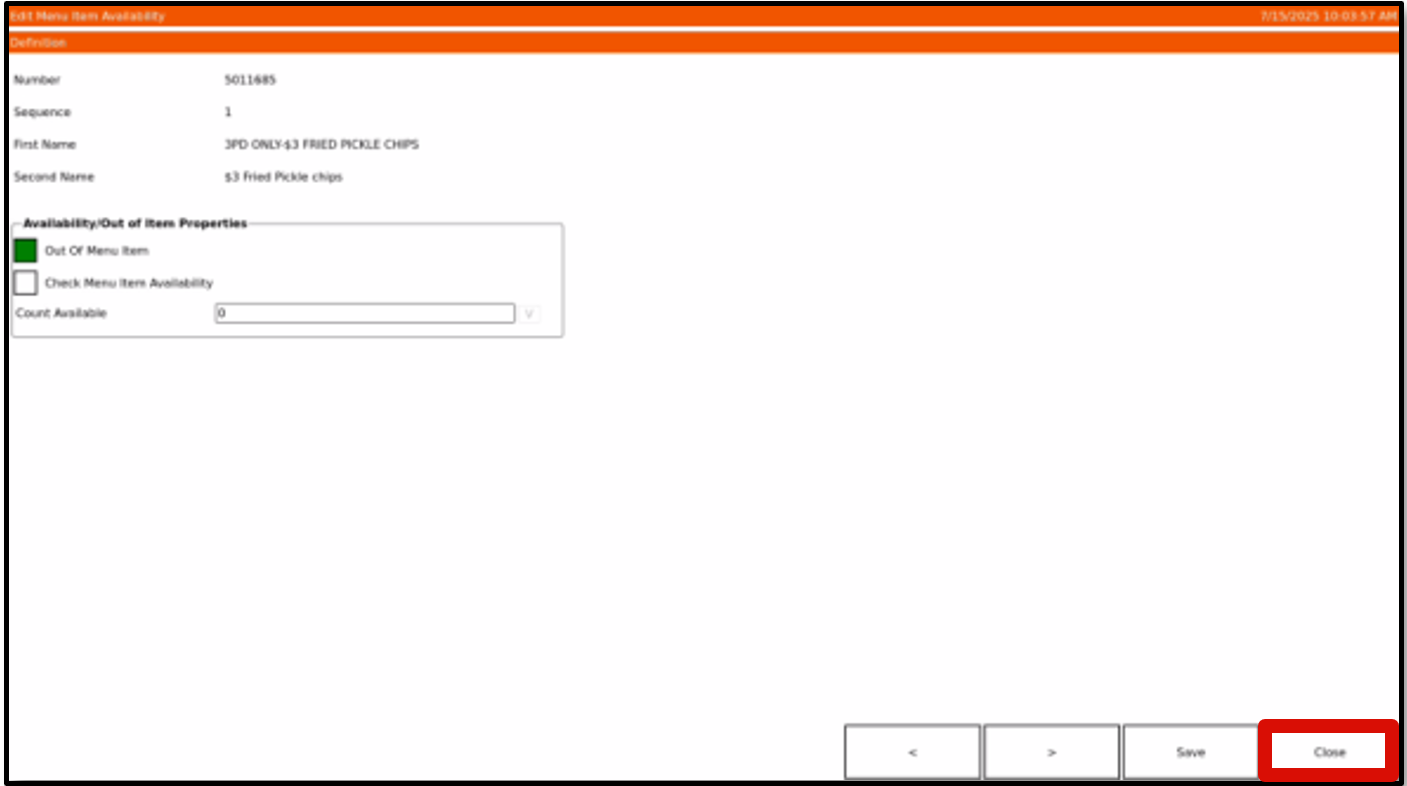
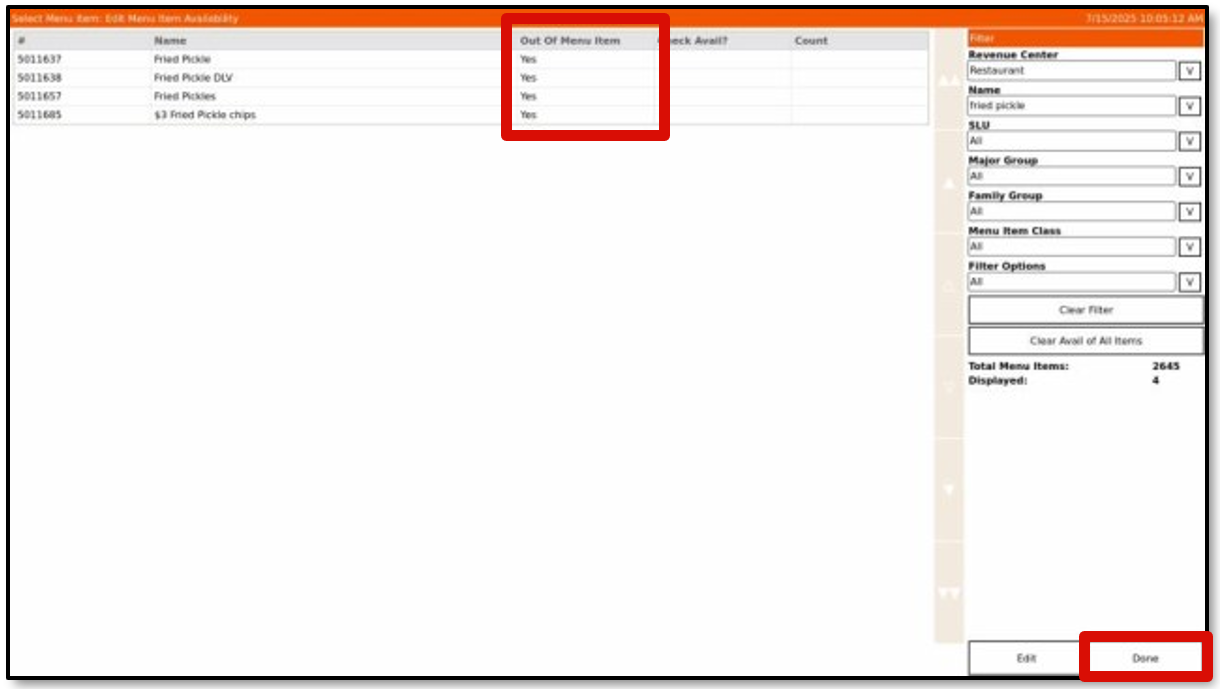
- Confirm the item is OUT OF MENU and select CLOSE