You are using an unsupported browser. Please update your browser to the latest version on or before July 31, 2020.
close
You are viewing the article in preview mode. It is not live at the moment.
Welcome to our Support Center
Breaks
print icon

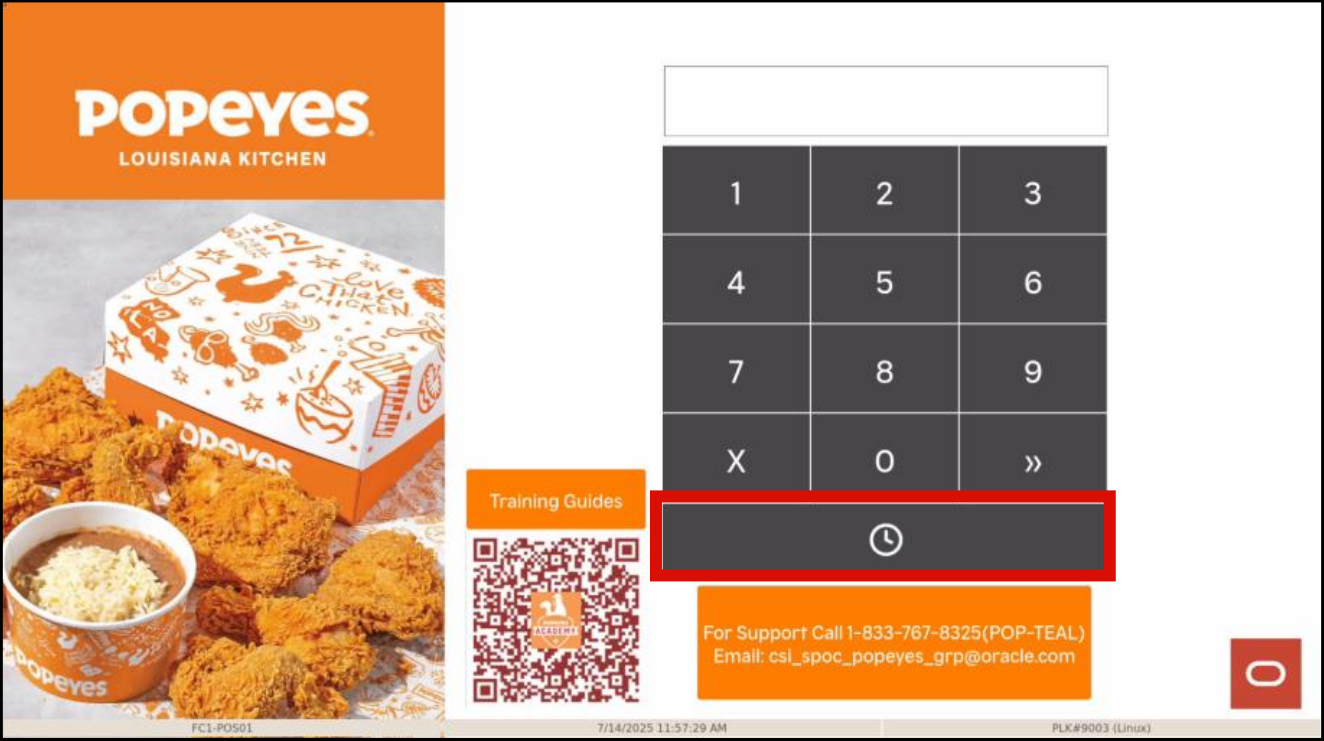
This is how a user would take a break
 

  1. Select the Clock Icon

     
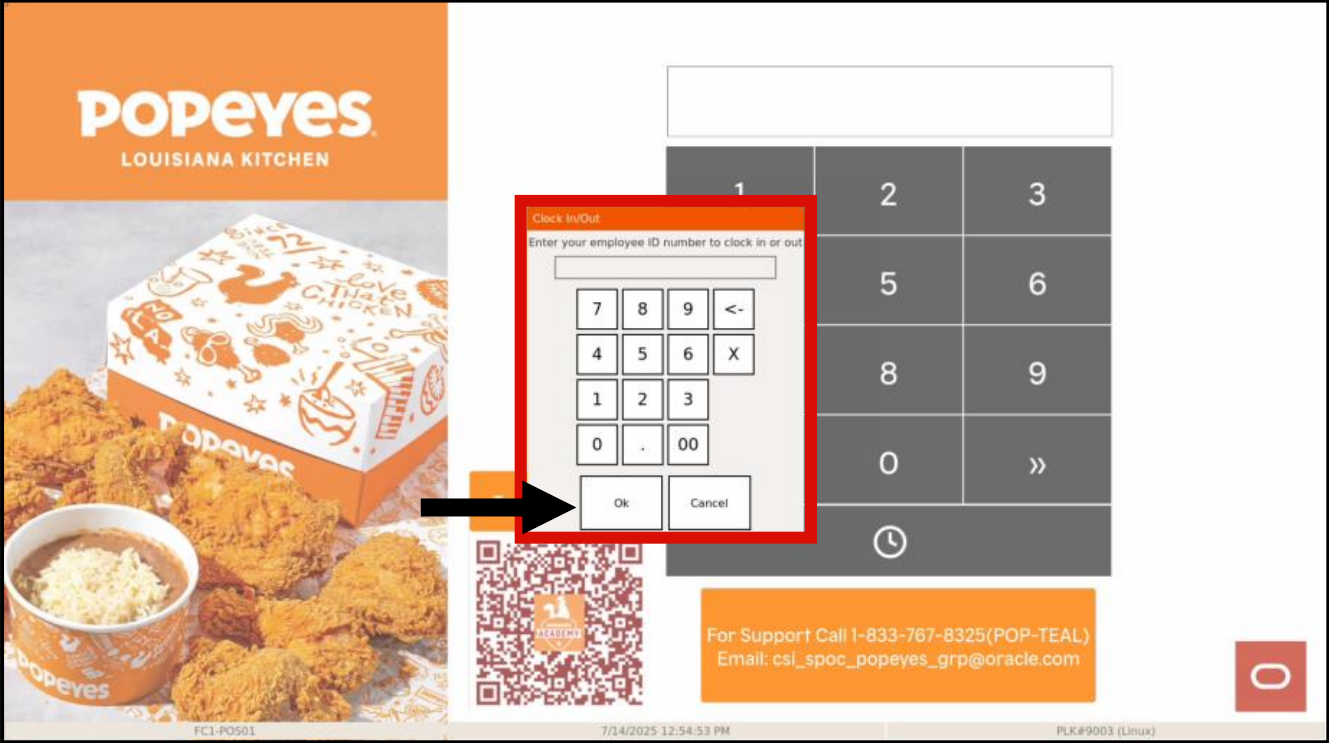
  2. Enter your Employee ID and hit Ok

     
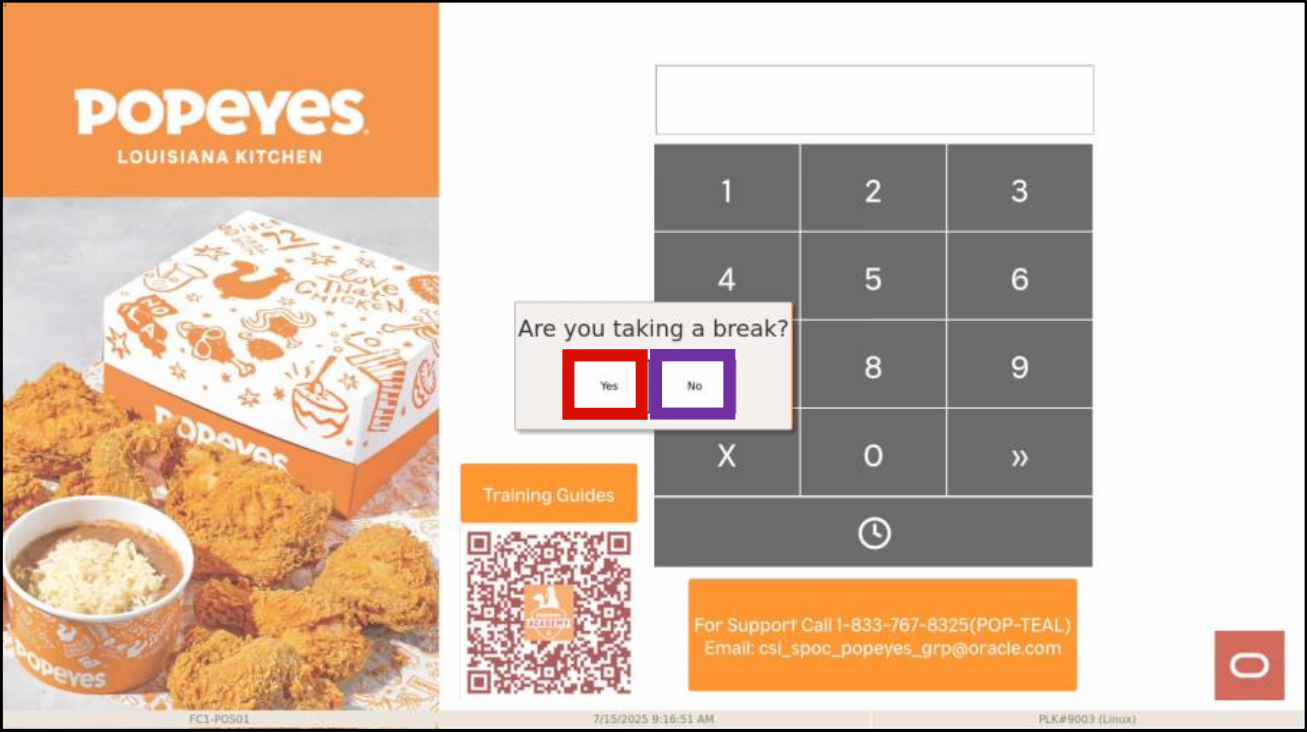
  3. Select Yes if you are clocking out to take a break
Feedback
0 out of 0 found this helpful

scroll to top icon