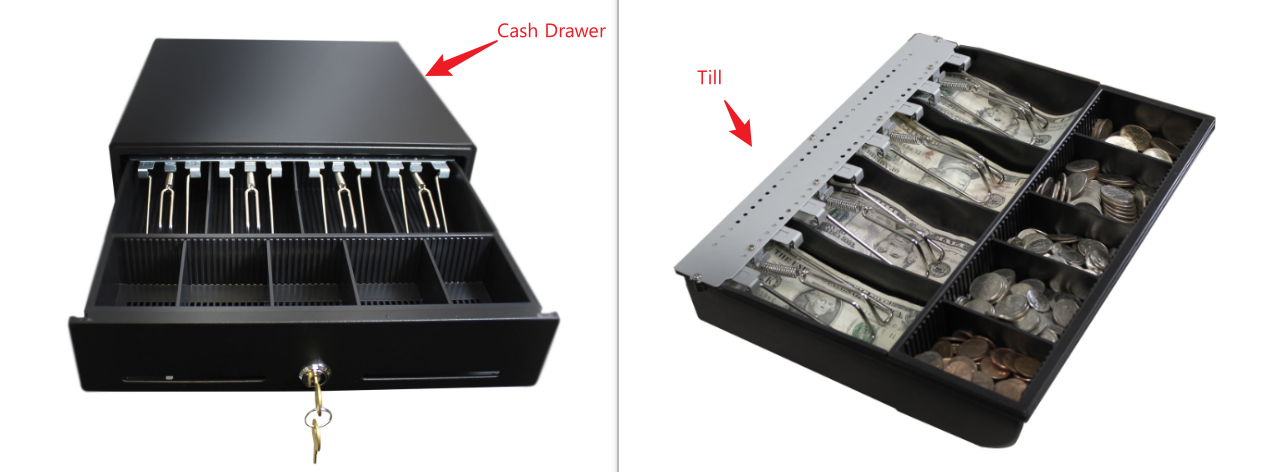
Next Shift Processes: Breaks/ Delayed Count - Unassign Till from Cash Drawer

May 21, 2026
 0
0
During the mid-day change in shifts among team members, this is how a manager would unassign a till from a cash drawer (to count and close later) and "Hot Swap" a new till in for the next break or shift.
Note: This does not unassign the user(s).
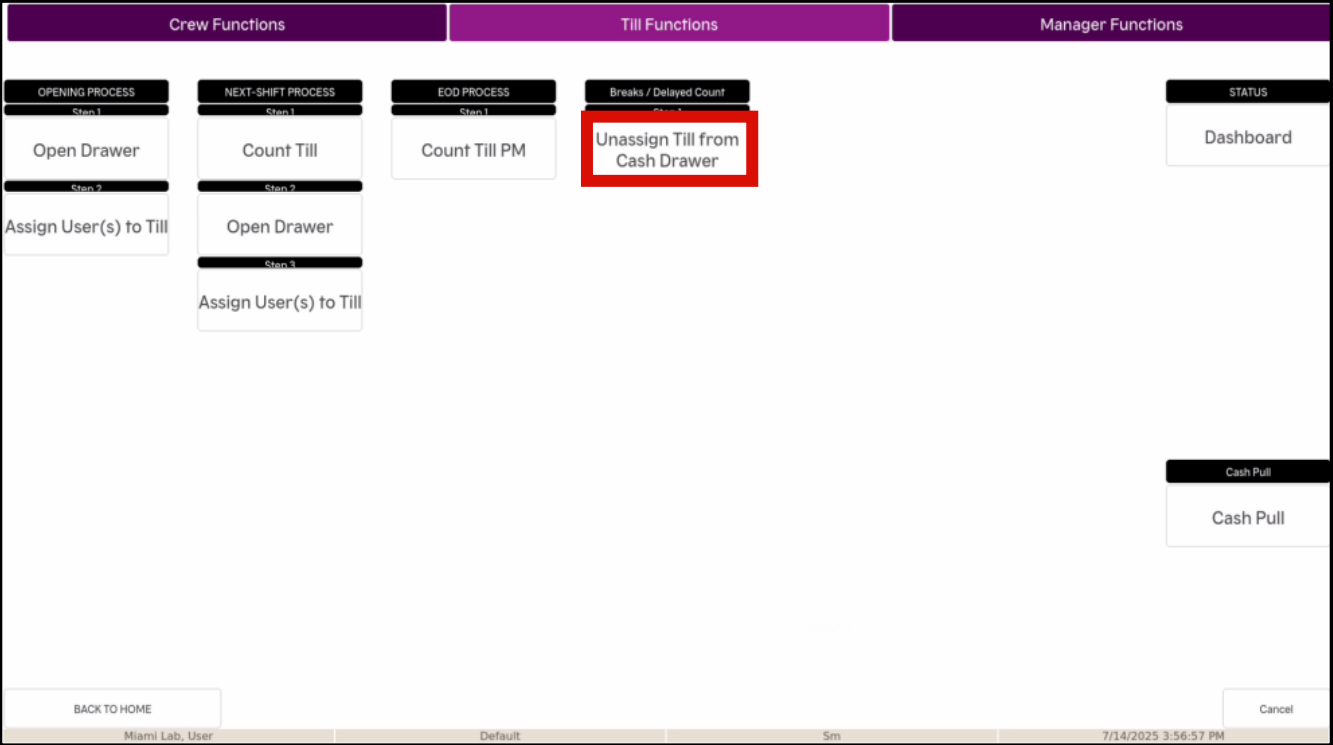
- Select FUNCTIONS on the bottom row of the screen

- Select Till Functions at the top of the next screen

- Select Unassign Till from Cash Drawer
- Select YES
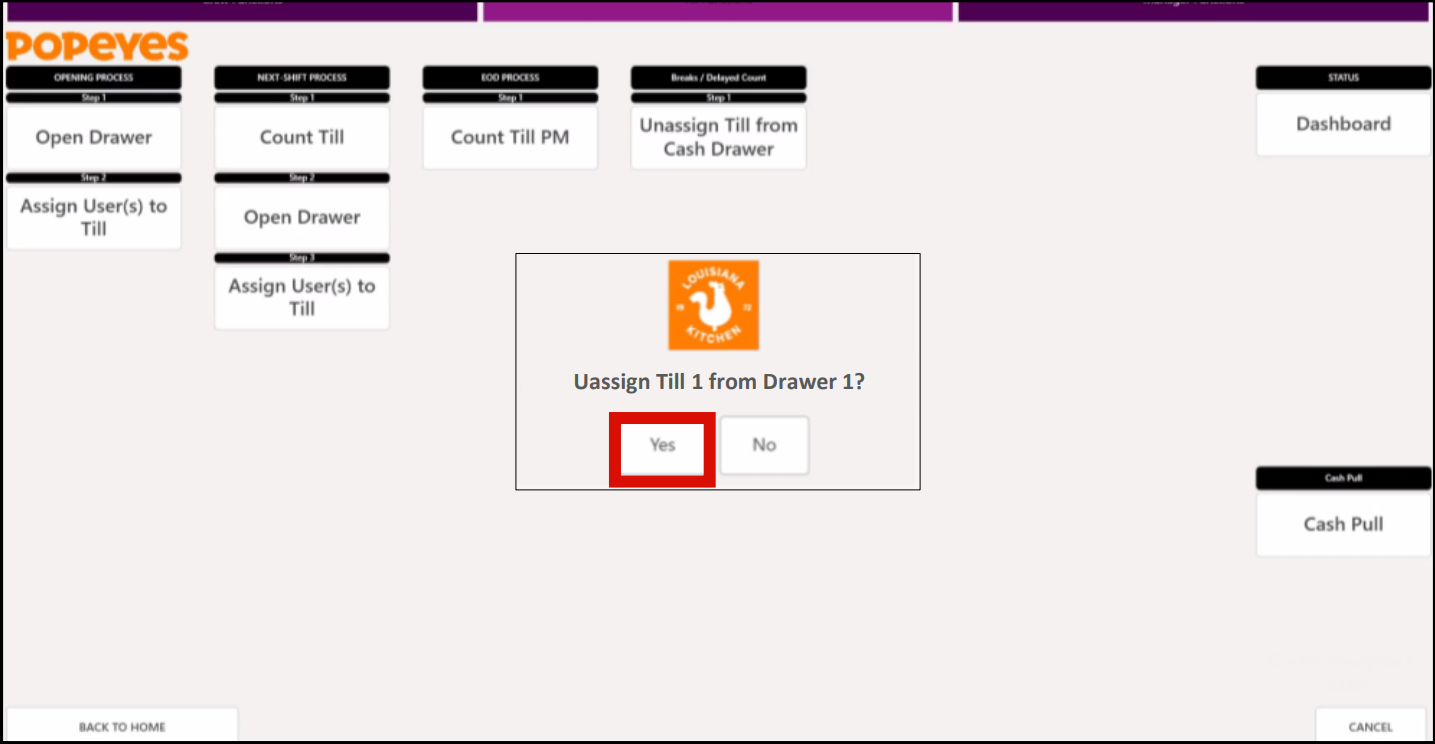
- After selecting Yes, your Cash Drawer will open allowing you to remove the till. Place the till in a safe location to be counted later.
- Insert the new Till for the team member.