Next Shift Processes: Count Till

May 21, 2026
 1
1
During the mid-day change in shifts among team members, this is how a manager would perform a till count for each individual cash drawer.
- Select FUNCTIONS on the bottom row of the screen

- Select Till Functions at the top of the next screen

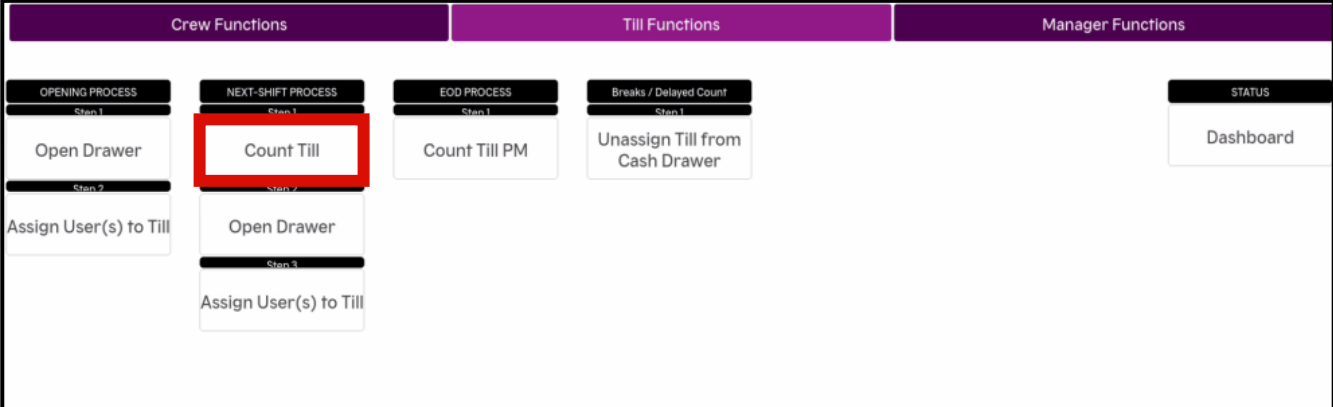
- Select Count Till
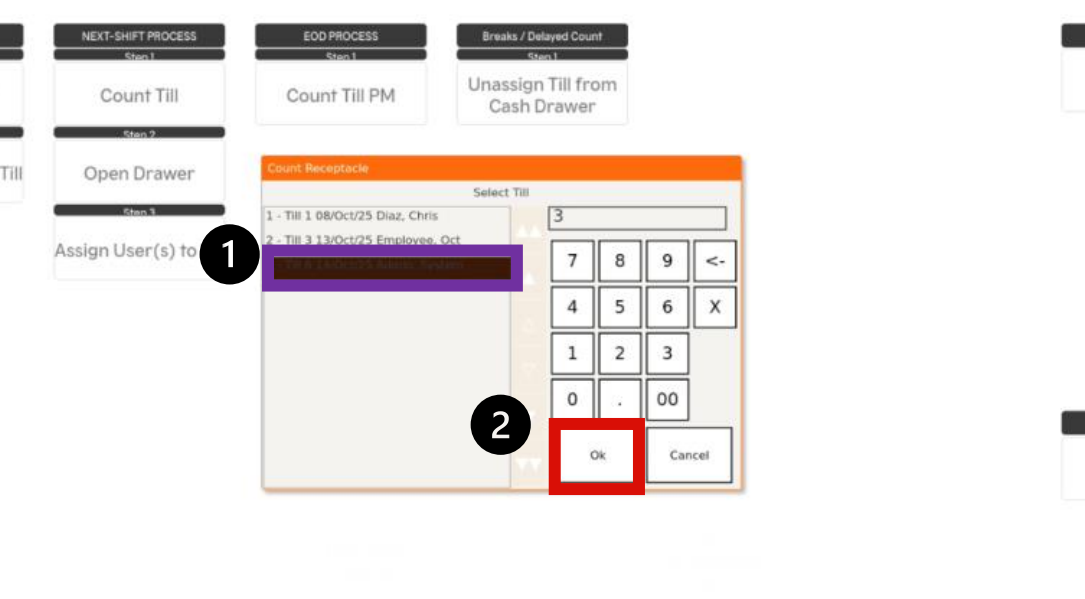
- Select the desired till and employee, then select OK
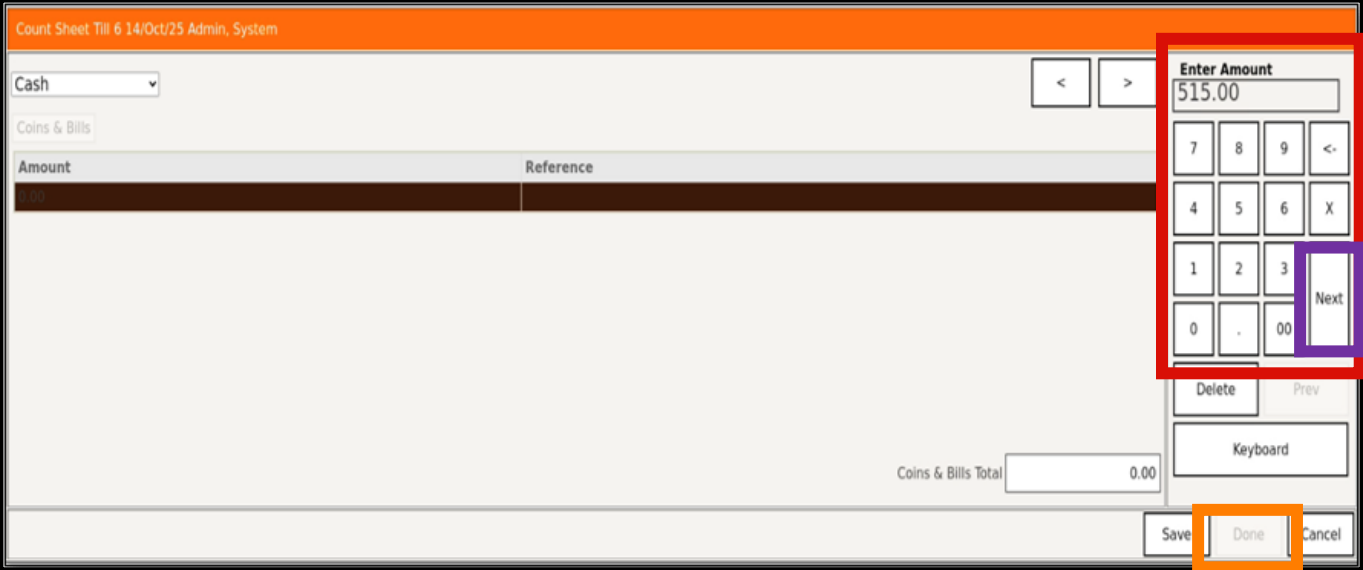
- Enter the final till amount, Select Next, then Select Done