


How to enroll a fingerprint for an Employee:

Apr 27, 2026
 2
2
Before you continue!!, ONLY MANAGERS can enroll fingerprint for employees or managers.
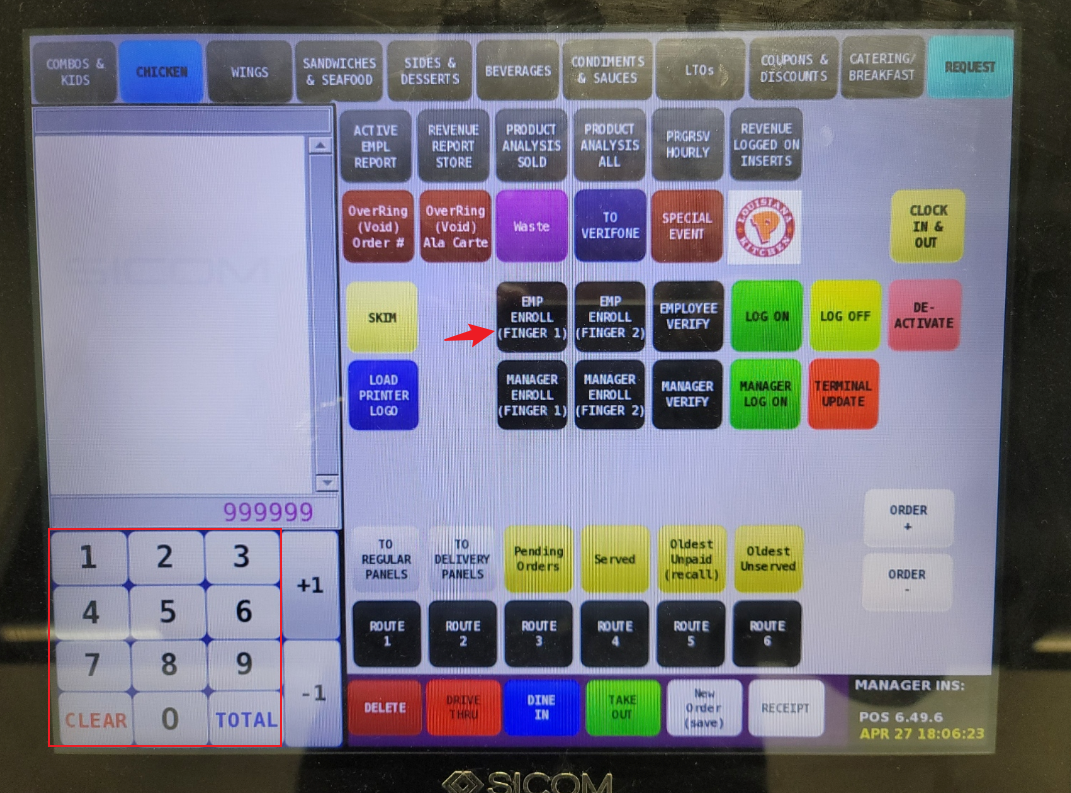
- On the POS, have the manager type in their badge number.
- Hit Request, then select EMP ENROLL (Finger1/Finger2).
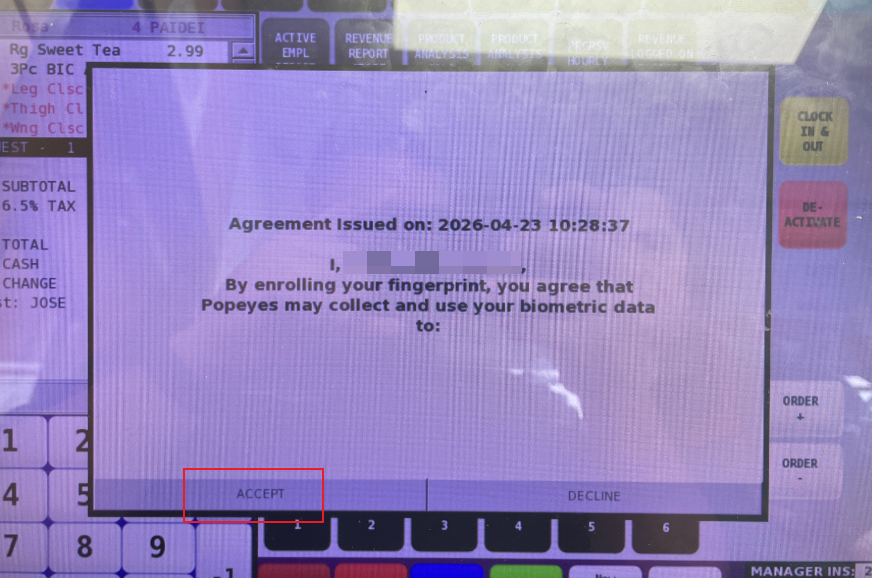
- Employee will have to accept the Consent Agreement to continue.
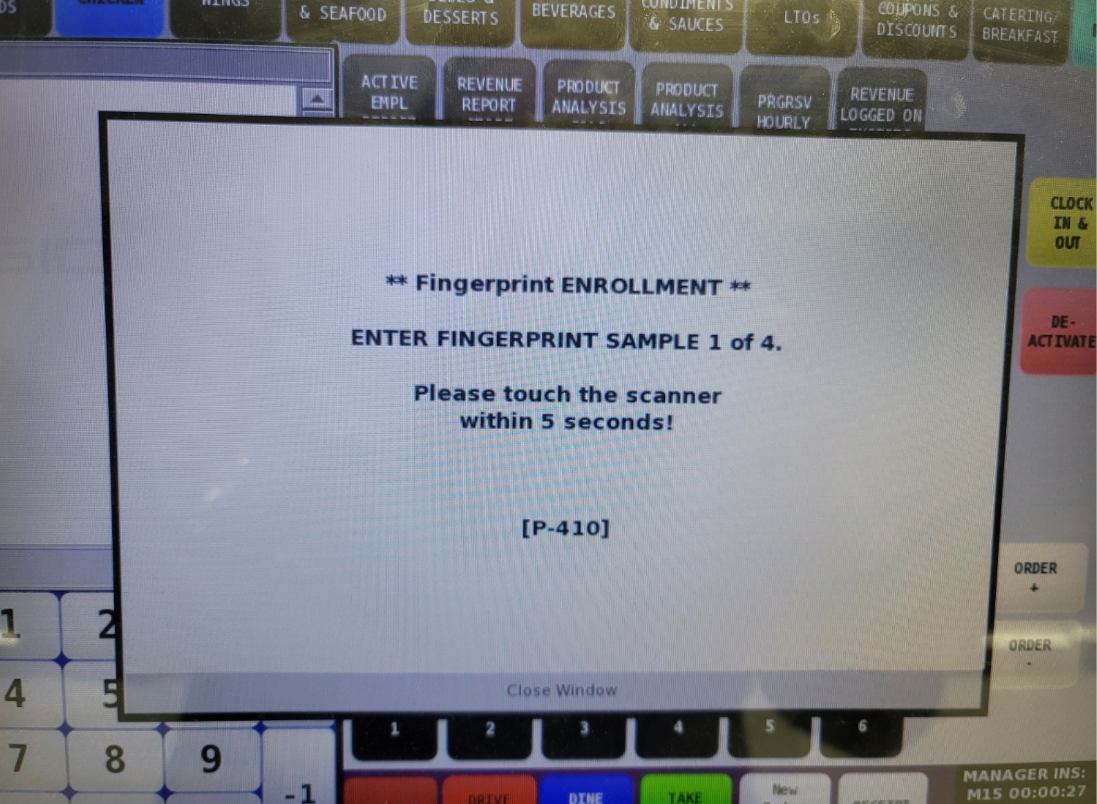
- Scan the Fingerprint of the employee 4 times in the fingerprint scanner.
- Update the terminal "6 + Request".
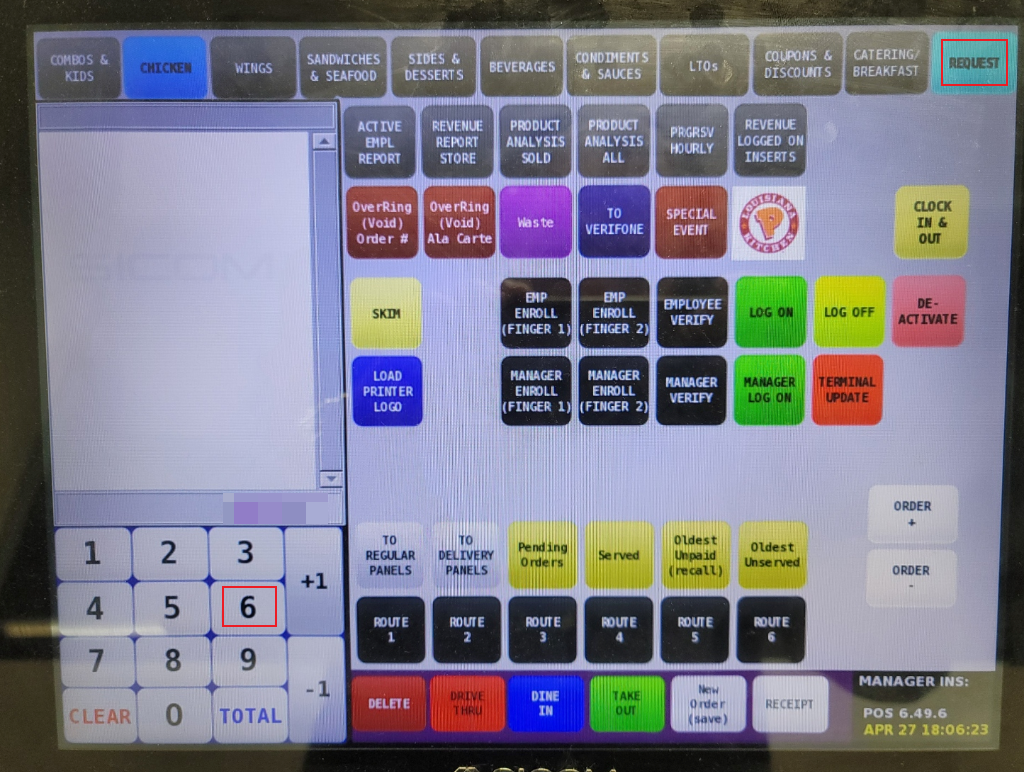
- Employee can clock in and out now.


